Use Instant Review to get feedback on videos
01
Create a new project
Click the blue Create project button in the top right of your workspace.
02
Upload your footage
03
Invite reviewers
04
Switch to Review mode
01
Create a new project
Click the blue Create project button in the top right of your workspace.
01
Create a new project
Click the blue Create project button in the top right of your workspace.
Editing tips
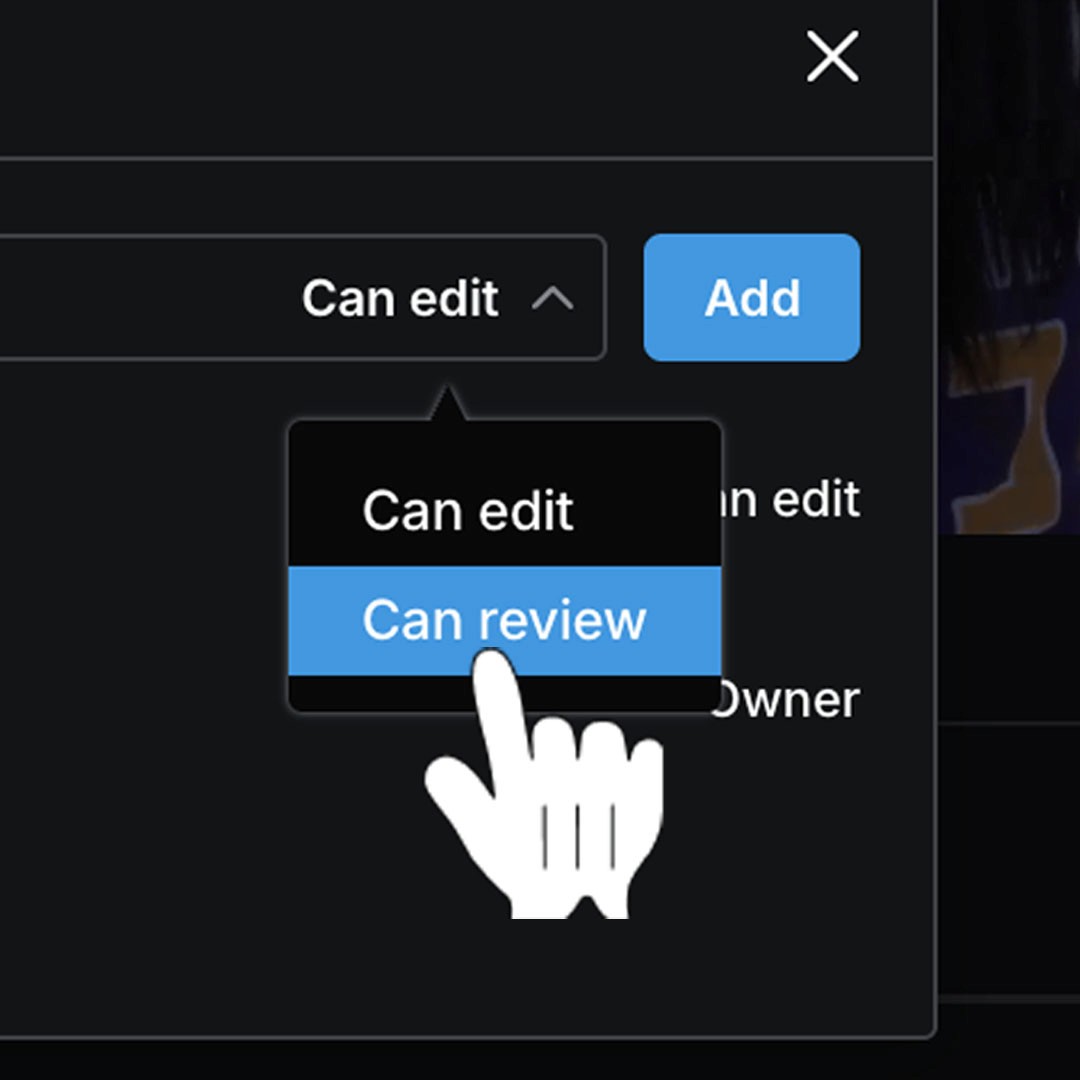
Protect the timeline
Inviting people as reviewers is the perfect way to share your edit whilst safeguarding your timeline. Don't worry about anybody messing with your edit as they're giving feedback.
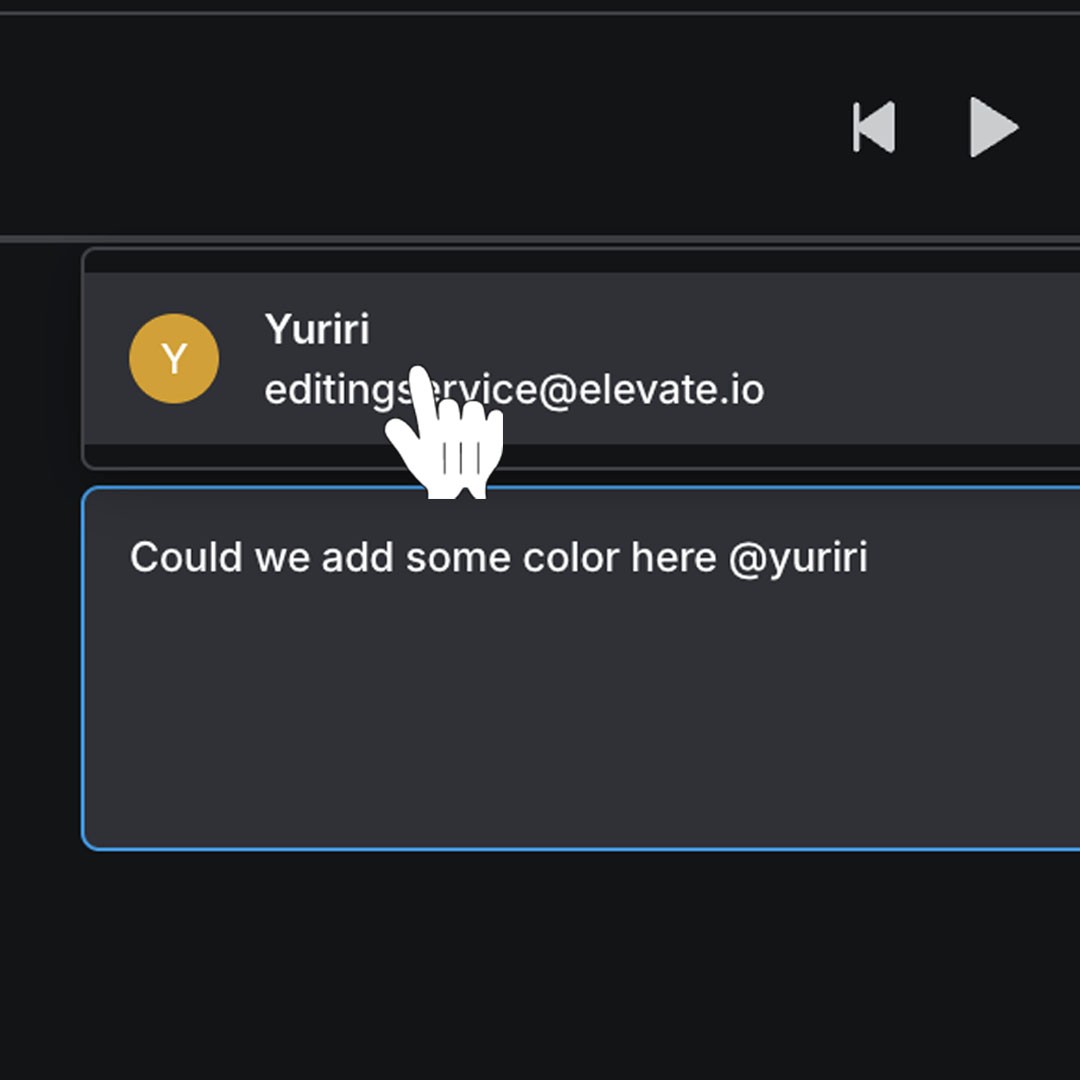
@ mention to notify
Need your comment to be seen? Use an @ mention to give somebody an email notification, ensuring they don't miss your feedback.
Protect the timeline
Inviting people as reviewers is the perfect way to share your edit whilst safeguarding your timeline. Don't worry about anybody messing with your edit as they're giving feedback.
@ mention to notify
Need your comment to be seen? Use an @ mention to give somebody an email notification, ensuring they don't miss your feedback.
Protect the timeline
Inviting people as reviewers is the perfect way to share your edit whilst safeguarding your timeline. Don't worry about anybody messing with your edit as they're giving feedback.
@ mention to notify
Need your comment to be seen? Use an @ mention to give somebody an email notification, ensuring they don't miss your feedback.
Protect the timeline
Inviting people as reviewers is the perfect way to share your edit whilst safeguarding your timeline. Don't worry about anybody messing with your edit as they're giving feedback.
@ mention to notify
Need your comment to be seen? Use an @ mention to give somebody an email notification, ensuring they don't miss your feedback.
Protect the timeline
Inviting people as reviewers is the perfect way to share your edit whilst safeguarding your timeline. Don't worry about anybody messing with your edit as they're giving feedback.
@ mention to notify
Need your comment to be seen? Use an @ mention to give somebody an email notification, ensuring they don't miss your feedback.
Protect the timeline
Inviting people as reviewers is the perfect way to share your edit whilst safeguarding your timeline. Don't worry about anybody messing with your edit as they're giving feedback.
@ mention to notify
Need your comment to be seen? Use an @ mention to give somebody an email notification, ensuring they don't miss your feedback.
Protect the timeline
Inviting people as reviewers is the perfect way to share your edit whilst safeguarding your timeline. Don't worry about anybody messing with your edit as they're giving feedback.
@ mention to notify
Need your comment to be seen? Use an @ mention to give somebody an email notification, ensuring they don't miss your feedback.
Protect the timeline
Inviting people as reviewers is the perfect way to share your edit whilst safeguarding your timeline. Don't worry about anybody messing with your edit as they're giving feedback.
@ mention to notify
Need your comment to be seen? Use an @ mention to give somebody an email notification, ensuring they don't miss your feedback.
Protect the timeline
Inviting people as reviewers is the perfect way to share your edit whilst safeguarding your timeline. Don't worry about anybody messing with your edit as they're giving feedback.
@ mention to notify
Need your comment to be seen? Use an @ mention to give somebody an email notification, ensuring they don't miss your feedback.
Protect the timeline
Inviting people as reviewers is the perfect way to share your edit whilst safeguarding your timeline. Don't worry about anybody messing with your edit as they're giving feedback.
@ mention to notify
Need your comment to be seen? Use an @ mention to give somebody an email notification, ensuring they don't miss your feedback.
Protect the timeline
Inviting people as reviewers is the perfect way to share your edit whilst safeguarding your timeline. Don't worry about anybody messing with your edit as they're giving feedback.
@ mention to notify
Need your comment to be seen? Use an @ mention to give somebody an email notification, ensuring they don't miss your feedback.
Protect the timeline
Inviting people as reviewers is the perfect way to share your edit whilst safeguarding your timeline. Don't worry about anybody messing with your edit as they're giving feedback.
@ mention to notify
Need your comment to be seen? Use an @ mention to give somebody an email notification, ensuring they don't miss your feedback.
FAQ
Is elevate.io's video review tool free to use?
Yes, elevate.io’s free Starter plan includes Review mode and many other great features.
How many reviewers can I invite?
Inviting somebody as a reviewer does not take up a team seat, so you can add as many reviewers as needed without limits.
Do I need to download or install anything?
No, elevate.io is a fully online video editor that runs in your browser. You can edit videos and use Review mode without needing to download any software.