


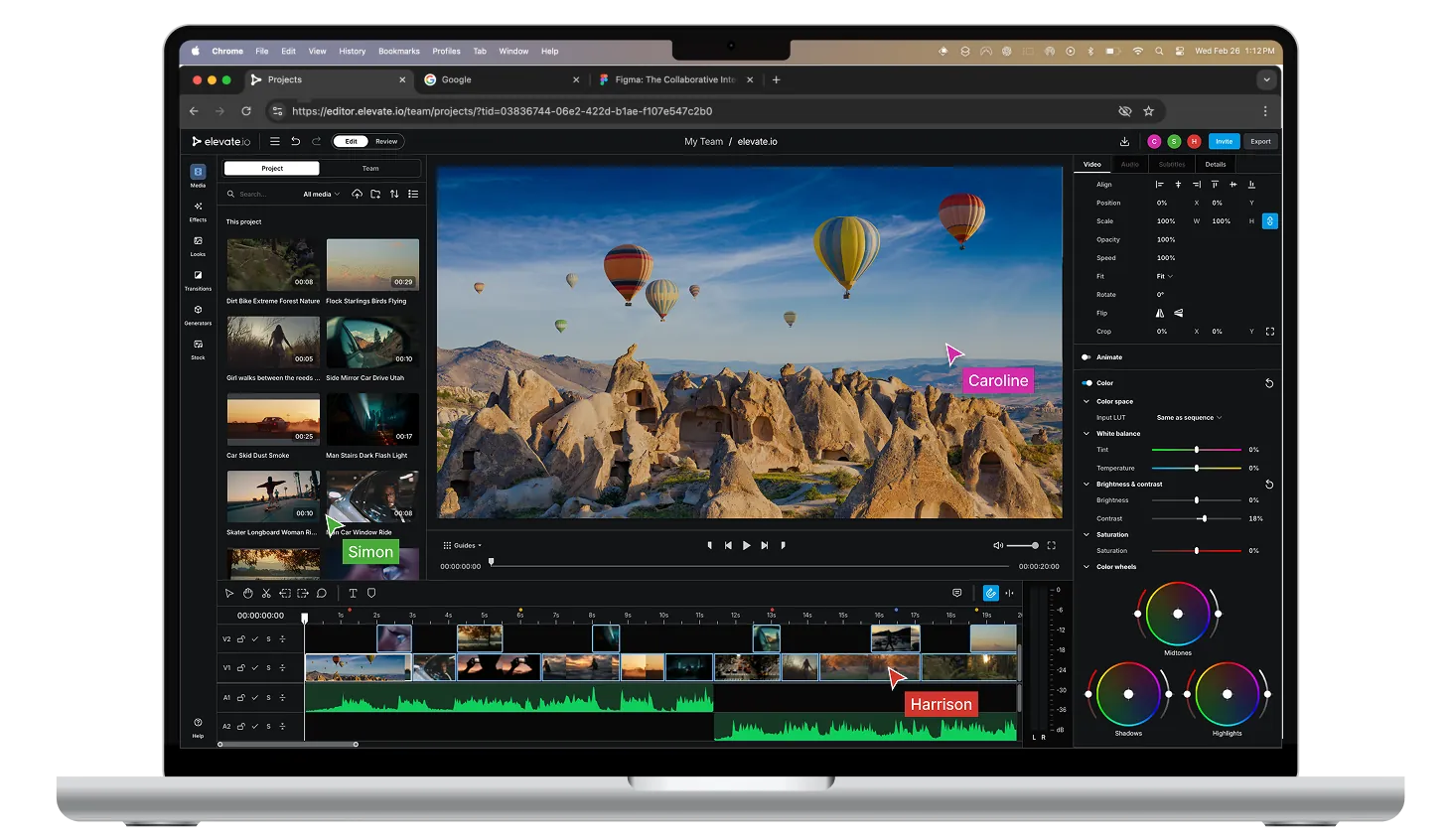
Online video editor

Online video editor

for teams

for teams

Most teams use up to six tools to produce video. Save 70% of time lost to tool switching, exporting, reuploading and chasing feedback.

Most teams use up to six tools to produce video. Save 70% of time lost to tool switching, exporting, reuploading and chasing feedback.

Online video editor

for teams

Most teams use up to six tools to produce video. Save 70% of time lost to tool switching, exporting, reuploading and chasing feedback.

Sumit

Sumit

Harrison

Harrison

Caroline

Caroline

Online collaborative video workspace

Online collaborative video workspace

Online collaborative video workspace

Online collaborative video workspace

Store, Edit, Review. No exporting required.

Go from footage to final without leaving the tab.

Store, Edit, Review. No exporting required.

Go from footage to final without leaving the tab.

Start working in your browser right now.

Video size
UI size
Abstract + Snap
Wait
Spacer
Cursor area
Cursor area

One video editor. Endless creative freedom for your team.

One video editor. Endless creative freedom for your team.

Unlimited space for creativity without unnecessary complexity. Freedom to edit wherever you are with no download or installation required.

Unlimited space for creativity without unnecessary complexity. Freedom to edit wherever you are with no download or installation required.

Unlimited space for creativity without unnecessary complexity. Freedom to edit wherever you are with no download or installation required.

The collaborative video editor for teams

The collaborative video editor for teams

Stakeholders can leave time-stamped comments directly on the video, no lengthy email threads, no missed feedback, and no concerns about which version you're working on. Everything's stored in one shared space, so the whole team is always working from the same file.

Stakeholders can leave time-stamped comments directly on the video, no lengthy email threads, no missed feedback, and no concerns about which version you're working on. Everything's stored in one shared space, so the whole team is always working from the same file.

Stakeholders can leave time-stamped comments directly on the video, no lengthy email threads, no missed feedback, and no concerns about which version you're working on. Everything's stored in one shared space, so the whole team is always working from the same file.

Text to speech

Text to speech

Less time on the process.
More time making great content.

Less time on the process.
More time making great content.

Auto captions in seconds, AI text-to-speech, and AI image generation tools take the slow work off your plate, so your team can focus on making creative videos that generate actual impact.

Auto captions in seconds, AI text-to-speech, and AI image generation tools take the slow work off your plate, so your team can focus on making creative videos that generate actual impact.

Auto captions in seconds, AI text-to-speech, and AI image generation tools take the slow work off your plate, so your team can focus on making creative videos that generate actual impact.

Your projects, anywhere, accessible to all

Your projects, anywhere, accessible to all

All your projects and media files are stored securely in your team’s secure online workspace. 

Everything lives in the cloud, accessible to your team from any device. No downloading before you edit or re-uploading when you’re done.

All your projects and media files are stored securely in your team’s secure online workspace. 

Everything lives in the cloud, accessible to your team from any device. No downloading before you edit or re-uploading when you’re done.

All your projects and media files are stored securely in your team’s secure online workspace. 

Everything lives in the cloud, accessible to your team from any device. No downloading before you edit or re-uploading when you’re done.

Questions teams ask before switching

Questions teams ask before switching

What problem does elevate.io solve?

The fragmented video production workflow. Most teams are stuck in the same loop: edit in one tool, export, download, email for feedback, re-upload, lose track of which version is current, repeat. A simple amendment can easily become a half-day job. elevate.io replaces that entire process with a single workspace where editing, review, and storage all happen in one place, under one URL, with no handoffs between tools.

How is it different from CapCut, VEED, or Premiere?

Those tools solve part of the problem. A standalone editor still leaves you managing feedback over email and storing files across drives and shared folders. elevate.io replaces your entire video production stack (editor, review tool, and cloud storage) in one workspace. There are no file transfers, no version confusion, and no switching between tools mid-project. If you've outgrown single-feature editors, elevate.io is the next step.

How does the review and feedback process work?

Reviewers leave timestamped comments directly on the video timeline and not in email threads or a separate document. Everyone works from the same version throughout, so there's no confusion about which cut is current. You share one URL, feedback lands in one place, and your editor can action it immediately without chasing anyone down.

Do I need video editing experience to use it?

No. elevate.io is built for people who weren't hired as video professionals but need to produce great video anyway. There's no software to install, no expensive hardware required, and no steep learning curve. If you can use a browser, you can produce professional-quality video with elevate.io.

Can it help us produce more video without growing the team?

Yes, that's a core design goal. The centralised, repeatable workflow means less time on the admin around video production and more time actually making it. Teams using elevate.io typically find they can scale video output significantly without adding headcount or budget, because the process stops breaking down between tools.

Less time on the process.

More time on the edit.

Less time on the process.

More time on the edit.